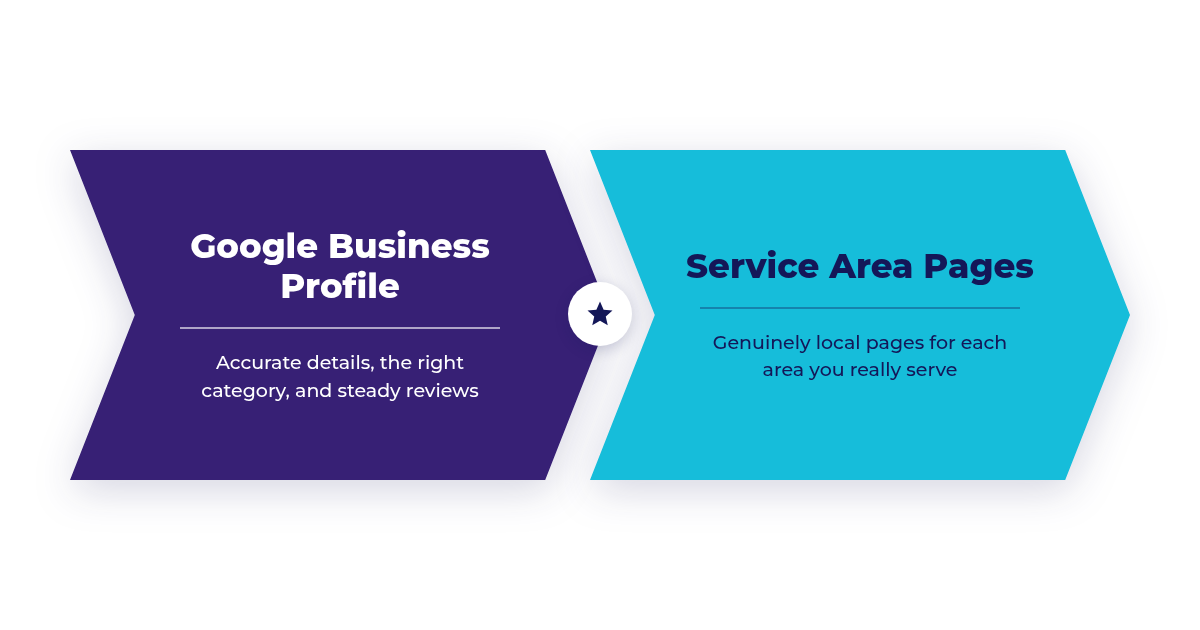
Local SEO decides whether nearby customers find you or a competitor when they search for what you offer. It rests on two pillars: a well-managed Google Business Profile for map and local results, and genuinely useful service area pages on your website for organic results. This guide walks through 10 steps to build both.
The Two Pillars at a Glance
| Google Business Profile | Service Area Pages | |
|---|---|---|
| Where it shows | Map results and the local pack | Organic results for service plus city searches |
| Main levers | Category, complete info, reviews, photos | Unique local content, internal links, on-page basics |
| Key risk | Keyword-stuffed names, wrong address setup | Doorway pages that only swap city names |
| How to measure | Business Profile performance report | Search Console and leads per page |
The 10 Steps
1Set up your profile the way Google expects
Claim and verify your Google Business Profile. If customers come to you, list your real address. If you travel to customers, Google says a service-area business should have one profile for its central office with a designated service area, and can’t list a “virtual” office unless it is staffed during business hours. Use your real business name with no added keywords.
2Pick a precise primary category
Google’s guidelines say to choose categories that are as specific as possible but representative of your main business, and to use the fewest categories needed to describe your core business. An HVAC company should choose the category that matches its main service, then add a few secondary categories only for services it actually offers.
3Complete every relevant field
Fill in hours, holiday hours, services, attributes, phone, and website. Google says businesses with complete and accurate info are more likely to show up in local search results.
4Build a steady review habit
Google says more reviews and positive ratings can help your local ranking, and that replying to reviews shows you value customer feedback. After each job, send a short message with your review link. Reply to every review, positive or negative, and never offer incentives for reviews.
5Add real photos and updates
Upload genuine photos of your team, vehicles, and completed work, and post updates about services, offers, and seasonal changes. Real images help customers know what to expect; stock photos don’t.
6Keep your name, address, and phone consistent
Make your business details match on your website, Google Business Profile, Bing Places, Apple Business Connect, Yelp, Facebook, and industry directories. Consistency makes it easier for search engines and customers to trust that the details are right.
7Create a page for each real service area, with real local content
Build dedicated pages only for cities you actually serve. Each page should be genuinely useful for that city: local projects, customer reviews from that area, relevant local conditions, and the services you offer there. Google’s spam policies list “pages targeted at specific regions or cities that funnel users to one page” as doorway abuse, so pages that just swap the city name are a risk.
8Connect your pages with a hub and internal links
Create a service areas hub page that links to every city page. On each city page, link to nearby areas you serve and to your main service pages. This gives visitors and search engines a clear, browsable structure instead of a pile of near-identical pages.
9Get the on-page basics right
Give each page a unique title and meta description that name the city and service, use clean URLs, and make phone numbers tappable on mobile. LocalBusiness structured data can describe your name, address, hours, and service area. Don’t add review stars markup for your own business; Google only supports LocalBusiness review snippets for sites that review other businesses.
10Measure what Google reports
The Business Profile performance report shows views, the searches people used to find you, calls, direction requests, and website clicks. Pair it with Search Console data for each city page and track leads by source in your analytics or CRM.
FAQ
How many service area pages should I create?
As many as there are areas you actually serve and can write something genuinely useful about. Quality matters more than count; thin pages for every nearby town can do more harm than good.
Does Google penalize duplicate location pages?
Google’s spam policies treat city pages that funnel users to one page, or substantially similar pages, as doorway abuse. Make each page meaningfully different and useful.
Can I still seed questions in my profile’s Q&A?
No. Google stopped new questions on Business Profiles in late 2025 and now shows AI answers in Maps based on your profile details and reviews.
Should I show my address if I work at customers’ locations?
Follow Google’s service-area business guidance: one profile for your central location with a designated service area rather than a public storefront address.
Sources
- Google Business Profile Help: Tips to improve your local ranking on Google
- Google Business Profile Help: Guidelines for representing your business on Google
- Google Business Profile Help: Understand your Business Profile performance
- Google Search Central: Spam policies (doorway abuse)
- Google Search Central: Review snippet structured data
- Google Search Central: LocalBusiness structured data
- PPC Land: Google replaces Q&A with an AI Ask button (December 2025)