When someone asks Google’s AI Overviews, AI Mode, Gemini in Maps, ChatGPT, or Perplexity to recommend a local business, the answer is built from data the tool can find and trust. For Google’s own AI features, your Google Business Profile (GBP) is the most direct source of that data. This guide walks through 10 steps to make your profile complete, accurate, and easy for AI systems to understand.
The 10 Steps
1Claim and verify your profile
An unverified profile can’t be fully managed and may be edited by others. Sign in at business.google.com, search for your business, and complete verification (Google may ask for a video, phone, or email check). Use your real business name with no added keywords; Google’s guidelines say your name should reflect your real-world name as used on your storefront, website, and stationery, so added keywords break the rules.
2Complete every relevant field
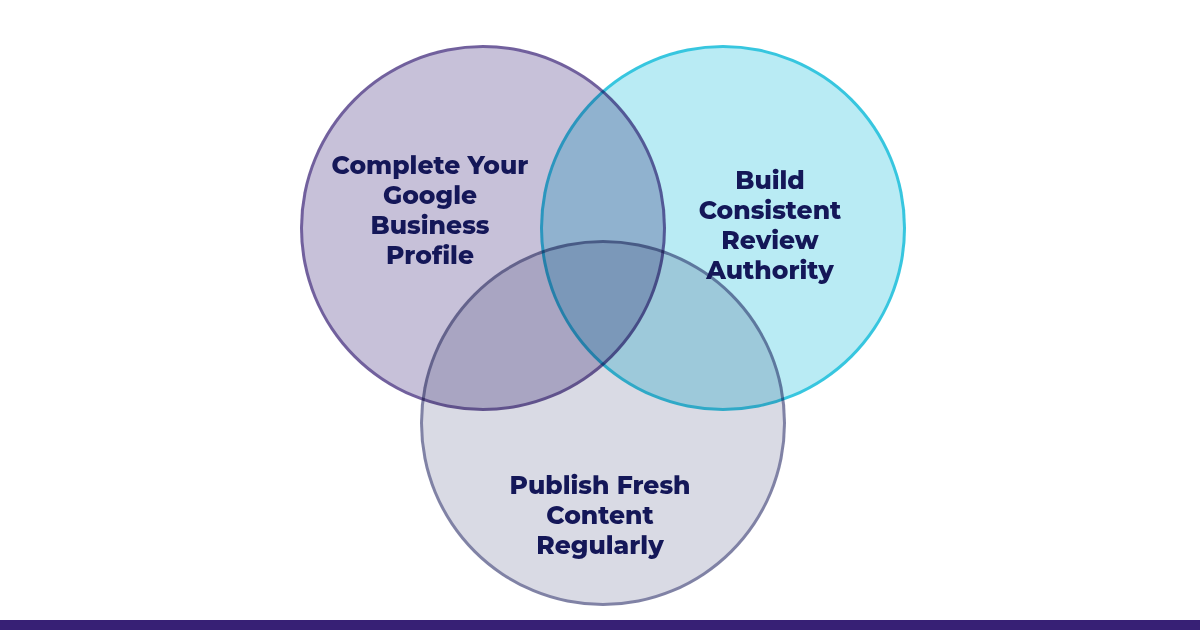
Fill in your address or service area, phone, website, hours, holiday hours, attributes, and opening date. Google states that businesses with complete and accurate info are more likely to show up in local search results. Complete data also gives AI tools fewer gaps to guess at.
3Choose precise categories
Your primary category is one of the strongest relevance signals you control. Pick the most specific option that describes your core business (for example “Emergency locksmith service” rather than “Locksmith” if that is truly your focus), then add a few secondary categories only for services you actually offer.
4Write services and a description in plain language
List each service with a short, specific sentence. “Same-day repair for all major appliance brands in Manhattan” tells an AI system far more than “Appliance Repair.” In your business description, state what you do, where you do it, and what sets you apart, written the way a customer would ask. Skip links, promotions, and ALL CAPS, which make a description harder to trust.
5Earn reviews steadily and reply to them
Google says more reviews and positive ratings can help your local ranking, and that replying to reviews shows you value customer feedback. Ask every satisfied customer, using the review link from your profile. Never offer incentives or gate reviews; both break Google’s policies. Reply to positive and negative reviews alike, and mention the specific service in your reply when it fits naturally.
6Add real photos regularly
Upload clear photos of your work, team, vehicles, and location, and keep adding new ones over time. Use real images rather than stock photos, and make sure they match what you actually sell.
7Publish updates
Use profile posts for offers, events, new services, and seasonal changes. Posts keep your profile current and give Google fresh, business-confirmed text. A steady cadence, such as one or two posts a month, is easy to sustain.
8Keep your name, address, and phone consistent everywhere
Make your business details identical on your website, Apple Business Connect, Bing Places, Yelp, Facebook, and industry directories. ChatGPT, Perplexity, and other non-Google tools draw from many sources, so conflicting details make your business harder to confirm.
9Support your profile with answer-first website content
AI Overviews draw on indexed web pages as well as profile data. Build a page for each core service and location that answers common customer questions in the first paragraph. Add LocalBusiness structured data in JSON-LD so search engines can read your name, address, hours, and services. FAQ sections are still useful for readers and AI, but note that Google limited FAQ rich results to well-known government and health sites in 2023, so don’t expect FAQ markup to create rich snippets.
10Check for edits and keep data current
Google and the public can suggest changes to your profile. Review it weekly, approve or reject edits, and update hours before holidays. Answer any existing Q&A questions; Google stopped new questions on profiles in late 2025 and replaced them with AI answers in Maps that draw on your profile details and reviews, which makes accurate profile data even more important.
What Changed Recently
| Feature | Status | What to do |
|---|---|---|
| Profile chat | Removed July 31, 2024 | Use calls, booking links, or your website instead |
| Q&A | New questions stopped in late 2025; API ended Nov 3, 2025 | Answer existing questions; strengthen your description and reviews |
| FAQ rich results | Limited to authoritative government and health sites since August 2023 | Keep FAQs for readers, not for snippets |
FAQ
Does ChatGPT use my Google Business Profile?
Not directly in a documented way. Non-Google AI tools combine web search results, maps data, directories, and review sites. That is why consistent details across platforms (step 8) matter as much as the profile itself.
How long until I see results?
Fixing categories, fields, and descriptions can take effect once Google processes the edits, often within days. Review growth and prominence build over months.
Can I pay Google to rank higher in local or AI results?
No. Google states there is no way to request or pay for a better local ranking. Local ads are labeled separately.
Should I add keywords to my business name?
No. Google’s guidelines say your name should reflect your real-world business name. Added keywords go against those guidelines and can lead Google to edit or restrict your profile.
Sources
- Google Business Profile Help: Tips to improve your local ranking on Google
- Google Business Profile Help: Guidelines for representing your business on Google
- Google Search Central: Changes to HowTo and FAQ rich results (August 2023)
- Google Business Profile APIs: Deprecation schedule (Q&A API, Nov 3, 2025)
- PPC Land: Google replaces Q&A with an AI Ask button (December 2025)
- Google Search Central: LocalBusiness structured data